If you live overseas and want to play the CN server of Genshin Impact stably, you've probably heard of the term "Return-to-China Accelerator". It's not a simple VPN, nor a generic game proxy, but a type of network optimization product specifically designed to handle cross-border traffic returning to China—the goal is to shorten the path and reduce jitter between your location and the CN game servers as much as possible.
The CN server of Genshin Impact is hosted in mainland China. For overseas players, the connection path is roughly:Local ISP → International submarine or land cable → China backbone network → Game server. Any segment along this path can become a bottleneck: submarine cables congested during peak hours, international routing detours, varying inter-ISP connection quality... This explains why "directly connecting to the CN server" often results in latency over 250ms and high packet loss—the bottleneck isn't at home, so tweaking your local network rarely helps.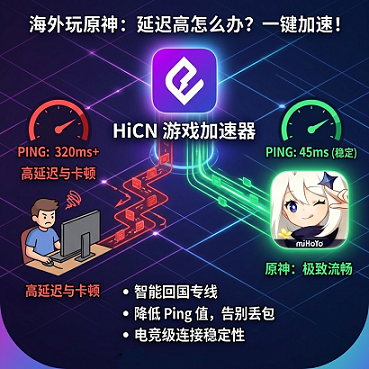
1. Latency Self-Check: Identify Your Lag Level First
Before deciding whether to subscribe to a return-to-China accelerator, use real test data to grade your lag. The comparison table below matches ping, packet loss rate, and actual gameplay experience to help you estimate potential improvement.
How to test: On Windows, run ping mihoyo.com -n 30 in Command Prompt; on macOS, use the Ping feature in Network Utility.It's recommended to test at least twice: once during peak gaming hours (Beijing time 8–11 pm), and once at midnight, to compare fluctuations.
Ping Range | Packet Loss Rate | Experience Level | Main Symptoms |
≤ 100ms | < 1% | Smooth | Responsive controls, feels similar to local CN players |
100–150ms | < 3% | Basically Playable | Slight delay in skill casting, daily/world exploration mostly fine |
150–250ms | 3–8% | Noticeable Lag | Dodge/sprint lag, easy to make mistakes in Abyss |
250–400ms | 8–15% | Severely Hindered | Boss combos often interrupted, hard to clear Abyss stably |
> 400ms | > 15% | Almost Unplayable | Character teleporting, frequent disconnects |
2. Three Self-Help Paths: Side-by-Side Comparison
Facing cross-border bottlenecks, overseas players commonly have three self-help paths. The table below gives a side-by-side comparison to help you choose the solution that fits your latency range.
The numbers are based on 100Mbps bandwidth, current game version, and non-extreme congestion periodsfor limited sample reference. Actual results will vary by ISP, region, and time.
Path | Main Function | Typical Improvement | Suitable For | Main Limitations |
DNS Adjustment | Optimizes first packet of domain resolution | Login/loading phase only | All players | Doesn't change route, no significant improvement in combat |
Router QoS | Suppresses local congestion and bufferbloat | 20–50ms | Households sharing network | Router must support QoS |
Return-to-China Accelerator Dedicated Line | Uses optimized cross-border channels | 80–200ms | Heavy users, Abyss/co-op | Usually requires paid subscription |
Path 1: DNS Adjustment
DNS optimization only affects the step of "resolving domain to IP" and doesn't actually help with ongoing ping during gameplay. What it really improves is:The first packet wait of a few seconds when logging in, loading world, or accessing the shop. If you can already enter the game stably but experience constant lag in combat—changing DNS will hardly help.
Provider | Primary DNS | Secondary DNS |
Cloudflare | 1.1.1.1 | 1.0.0.1 |
Ali DNS | 223.5.5.5 | 223.6.6.6 |
Google DNS | 8.8.8.8 | 8.8.4.4 |
Recommended low-latency public DNS to try:
Where to configure: On Windows: Network Connections → IPv4 Properties; on macOS: System Settings → Network → Advanced → DNS; on routers: usually in WAN settings or DHCP, effective after reboot.
Path 2: Router QoS Settings
The real value of QoS (Quality of Service) is to suppresslocal network congestion—typical scenario: someone at home is watching 4K video, downloading BT/PT, or streaming, and game traffic gets pushed to the back of the queue, causing ping spikes and lag. If your lag mainly happens when others are using the network at home at the same time, QoS is useful; if the bottleneck is on the cross-border link, QoS won't help.
Configuration tips:
1. Find "QoS" or "Bandwidth Control" in your router's admin panel.
2. Add the IP/MAC of your gaming device (PC/PS5/Switch) or accelerator client to high priority.
3. Limit the upload speed of background P2P downloads, video sync, and backup tasks.
4. Windows built-in "Game Mode" can be used as a supplement.
Limitation: Many old routers or ISP-provided modem-router combos don't support game traffic recognition and can only schedule by IP/MAC with coarse granularity.
Path 3: Return-to-China Accelerator Dedicated Line
When latency is above 250ms, packet loss exceeds 5%, and the bottleneck is clearly on the cross-border link, the third path is usually the most cost-effective choice. The key difference from the first two is: it usesan optimized dedicated channelbetween your location and the CN server, instead of the default public internet routing.
There are many return-to-China accelerator solutions on the market. When choosing, focus on a few common dimensions:
● Does it have an e-sports dedicated line: General forwarding routes aren't game-friendly; routes optimized for competitive gaming are more stable.
● Does it support dual-path concurrency/intelligent switching: Automatically switches when one route jitters, preventing disconnects during combat.
● Node coverage: Are low-latency nodes available in your region?
● Trial period: Cross-border network conditions vary greatly, so a longer trial helps with real testing.
For example, Android client QR code Return-to-China accelerator solutions that feature high-speed e-sports dedicated lines + dual-path concurrency can serve as a reference sample. Under dedicated channels, games like Genshin Impact can typically maintain latency in the 100–150ms range under specific test conditions (test conditions: US West Coast 200M bandwidth, non-peak hours, latest game version; this data is a typical reference from limited samples, actual results will vary by ISP, local bandwidth, time, and game version).
3. Choose Node by Region (North America / Europe / Australia)
If you decide to use a return-to-China accelerator dedicated line, the next step is "which node to connect to". Below are node suggestions and latency references by major region.All values are typical scenarios based on limited samples, not universal promises—please test yourself for accuracy.
North America (USA, Canada)
The main bottleneck here is the trans-Pacific submarine cable; West Coast exits are usually 30–50ms faster than the East Coast. Players who also need to watch Bilibili, iQIYI, and other video streaming should prioritize West Coast nodes.
Departure | Recommended Node | Dedicated Line Latency Reference |
USA West Coast (Los Angeles, Seattle) | Los Angeles → Shanghai | 110–140ms |
USA East Coast (New York, Boston) | New York → Shanghai | 150–180ms |
Toronto, Canada | Toronto → Shanghai | 150–190ms |
Europe (UK, Germany, France, Netherlands)
The route from Europe to Shanghai is longer, so latency is generally higher than North America. It's recommended to play mainly in Beijing afternoon (Europe morning), when public internet congestion is lighter and experience is better.
Departure | Recommended Node | Dedicated Line Latency Reference |
London, UK | London → Shanghai | 160–200ms |
Frankfurt, Germany | Frankfurt → Shanghai | 170–210ms |
Paris, France | Paris → Shanghai | 175–215ms |
Australia (Sydney, Melbourne)
Although Australia is physically closer to Shanghai than Europe, local bandwidth to Asia is relatively narrow, so public internet latency is often higher. Dedicated channels can significantly narrow this gap.
Departure | Recommended Node | Dedicated Line Latency Reference |
Sydney, Australia | Sydney → Shanghai | 130–170ms |
Melbourne, Australia | Melbourne → Shanghai | 140–180ms |
4. Frequently Asked Questions (FAQ)
Q1: Will changing DNS affect daily browsing?A: There may be a slight impact. If you're used to a certain local CDN's resolution, changing DNS may make some sites that rely on local cache a bit slower. It's recommended to set DNS separately for gaming devices on your router to avoid affecting daily devices.
Q2: Why doesn't router QoS make a big difference?A: Two common reasons—first, the router doesn't support game traffic recognition and can only schedule by IP/MAC with coarse granularity; second, your measured latency mainly comes from upstream (upload), and QoS can't magically increase upload bandwidth.
Q3: How long should I trial a return-to-China accelerator to judge if it's suitable?A: It's recommended to cover at least three periods: weekday mornings, Beijing evening peak, and Beijing midnight. Cross-border network conditions vary greatly, so a single test isn't reliable.
Q4: Can mobile devices use return-to-China accelerators?A: Mainstream solutions cover both iOS App Store and Android (APK or Google Play). Supported platforms are shown on the download page, for example, HiCN offers Windows, desktop, and mobile entry points.
Q5: How do I tell if the bottleneck is "at home" or "on the cross-border link"?A: Use tracert mihoyo.com (Windows) or traceroute mihoyo.com (macOS/Linux) to view the full path. If the first few hops have low latency and one hop suddenly jumps by over 200ms—that's a typical cross-border bottleneck; if the whole path is high latency, it's more likely a home network or ISP issue.
Q6: What is "dual-path concurrency"?A: The client uses two independent network paths to transmit data to the CN server simultaneously, with real-time merging on the receiving end. If one path jitters or loses packets, the other immediately compensates. The switching is almost unnoticeable to players, and lag/disconnects in combat are significantly reduced.
5. Summary: Choose Path by Lag Level
For most heavy players in North America, Europe, and Australia, you'll likely need a return-to-China accelerator dedicated line as the ultimate solution. It's recommended to try in order: DNS first, then QoS, and see if that's enough; if not, seriously evaluate accelerator options. When choosing, focus on comparing these three: "e-sports dedicated line", "dual-path concurrency support", and "sufficient trial period".
Lag Level | Recommended Combination |
≤ 150ms Basically Playable | DNS Adjustment + QoS usually sufficient |
150–250ms Noticeable Lag | DNS Adjustment + QoS + Return-to-China Accelerator Dedicated Line |
> 250ms Severely Hindered | Directly evaluate return-to-China accelerator dedicated line solutions |
HiCN As one of the return-to-China accelerator solutions, it supports Windows, desktop, and mobile, and offers e-sports dedicated lines and dual-path concurrency. It can be considered as a candidate for evaluation.
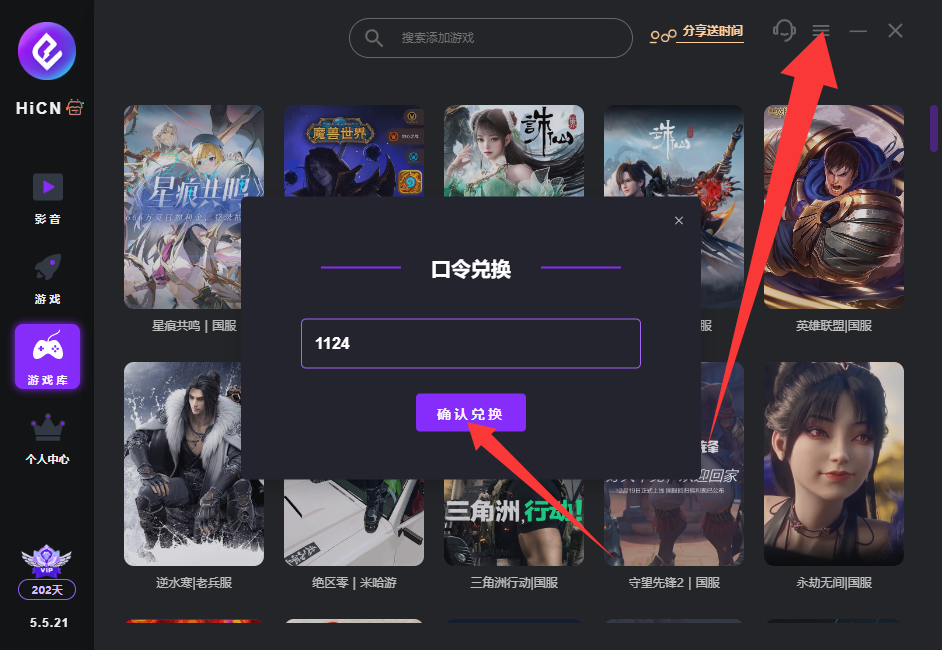
HiCN Return-to-China Accelerator exclusive membership code: 1124